
Interested in this R730 Server?
This Dell R730 server configuration is available with warranty support and delivery to all Egyptian cities. Contact us to request it for purchase, or inquire about custom configuration options and pricing!
Trivera Expert Tip
One thing many buyers overlook when comparing the R730 and R730xd is that the R730xd does not support GPU cards at all, while this R730 does. If there is any chance your workload will involve GPU-accelerated VDI, remote desktop rendering, or compute acceleration, the R730 is the correct platform to commit to, since the chassis cannot be changed after purchase. For businesses in Egypt currently running purely CPU-based virtualization but planning to expand into GPU-assisted workflows, investing in the R730 now avoids a full server replacement later. For memory configuration, the R730 uses 8 memory channels with 3 DIMM slots each, and maximum bandwidth is only achieved when all channels are populated equally, so adding RAM in sets of 8 or 24 DIMMs gives the best performance per pound of investment. The front panel iDRAC Direct USB port is also a practical feature for Egyptian IT teams managing servers on-site without a dedicated KVM switch, as it allows a direct laptop connection for console access and firmware updates with no network required. Our technical team in 10th of Ramadan City configures each R730 with a validated BIOS performance profile, including Turbo Boost enabled and memory interleaving optimized, so your workloads run at full capacity from day one.
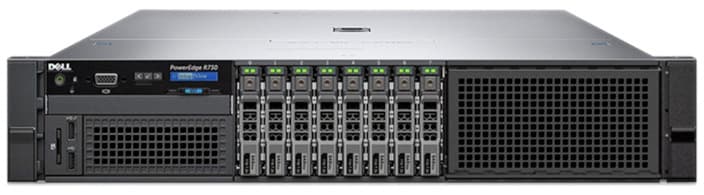
Dell PowerEdge R730 Server (8bay*2.5inch)
High performance 2U scalable rack server - 2x Intel Xeon E5-2697V4 processors, 32GB RAM
EGP 28,000
Fast Delivery: Shipping available to all cities in Egypt within 2-5 business days
As a proven enterprise platform, the 8-bay SFF Dell PowerEdge R730 delivers exceptional compute density, flexible storage, and scalable I/O expansion in a powerful 2U design. Engineered for virtualization clusters, ERP systems, private cloud deployments, and demanding workloads, this configuration is built for businesses that require reliable 24/7 performance. Powered by Dual Intel Xeon E5-2697 v4 processors with 18 cores and 36 threads each, one of the top CPUs in the E5-2600 v4 series, the R730 provides outstanding multi-threaded performance for virtual machines and compute-intensive applications. With support for large DDR4 memory capacities and enterprise RAID storage, it efficiently handles heavy consolidation workloads while maintaining stability. The 8-bay small form factor chassis supports high-speed SAS drives and SSDs for optimized data access, while integrated iDRAC8 remote management enables secure monitoring and control from anywhere. Every R730 sold by Trivera undergoes comprehensive hardware validation and stress testing to ensure enterprise-level reliability and long-term performance.As a proven enterprise platform, the 8-bay SFF Dell PowerEdge R730 delivers exceptional compute density, flexible storage, and scalable I/O expansion in a powerful 2U design. Engineered for virtualization clusters, ERP s...
This Server Spec Includes:
- CPU: Dual(2) Intel(R) Xeon(R) E5-2697V4@2.30GHZ | Total: 36 Core, 72 Threads, 90MB Cache
- Ram: 32GB DDR4
- Storage: 4x 1TB SAS 2.5" | Total: 4TB HDD
- Raid Controller: Dell PERC H730
- Lan Card: 4x port 1Gb
- Power Supply: Dual(2) 750W
The Dell PowerEdge R730 in Egypt is deployed across mid-size enterprises, private universities, and government data centers as a general purpose virtualization host and application server. Its combination of high core count Xeon v4 processors, large DDR4 memory capacity, and unique GPU support within the 13th generation 2U form factor makes it a popular choice for organizations building or expanding private cloud infrastructure, running ERP platforms, or hosting GPU-assisted remote desktop environments without the cost of newer generation hardware.
Interested in this R730 Server?
This Dell R730 server configuration is available with warranty support and delivery to all Egyptian cities. Contact us to request it for purchase, or inquire about custom configuration options and pricing!
One thing many buyers overlook when comparing the R730 and R730xd is that the R730xd does not support GPU cards at all, while this R730 does. If there is any chance your workload will involve GPU-accelerated VDI, remote desktop rendering, or compute acceleration, the R730 is the correct platform to commit to, since the chassis cannot be changed after purchase. For businesses in Egypt currently running purely CPU-based virtualization but planning to expand into GPU-assisted workflows, investing in the R730 now avoids a full server replacement later. For memory configuration, the R730 uses 8 memory channels with 3 DIMM slots each, and maximum bandwidth is only achieved when all channels are populated equally, so adding RAM in sets of 8 or 24 DIMMs gives the best performance per pound of investment. The front panel iDRAC Direct USB port is also a practical feature for Egyptian IT teams managing servers on-site without a dedicated KVM switch, as it allows a direct laptop connection for console access and firmware updates with no network required. Our technical team in 10th of Ramadan City configures each R730 with a validated BIOS performance profile, including Turbo Boost enabled and memory interleaving optimized, so your workloads run at full capacity from day one.
Why Your Trivera Hardware Purchase Is Risk Free
14-Day Compatibility Guarantee
We understand that enterprise integration can be complex. If this server doesn't meet your project requirements or rack/setup specifications, return it within 14 days. No restocking fees and no hidden penalties for our business partners.
1-Year Trivera Certified Warranty
Every unit undergoes a full hardware validation process and comes with our comprehensive local warranty, ensuring your mission‑critical infrastructure is protected against component failure and manufacturing defects.
R730 Server Capabilities
Key Features
Expansion and I/O
Recommended Use Cases
Consider Alternatives For
For complete details on the PowerEdge R730 Server, check the official Dell datasheet
FAQ about Dell r730
Common questions about this server answered by our technical team
What is the key difference between the R730 8-bay SFF and the R730xd, and which should I choose?
The R730 and R730xd share the same processor, memory, and chipset platform, but differ in two important ways. The R730xd prioritizes storage, offering up to 24 x 2.5 inch or 12 x 3.5 inch drive bays depending on chassis. The R730 on the other hand is the only model in this family that supports GPU cards, accommodating up to 4 single-wide or 2 double-wide accelerators via its PCIe risers. If your workload is purely storage-driven, such as backups, file servers, or large RAID arrays, the R730xd makes more sense. If your workload involves virtualization with GPU passthrough, VDI rendering, or compute acceleration, or if you simply want to keep that option open in the future, the R730 8-bay SFF is the right chassis to commit to since neither server can be converted to the other after purchase.
How much memory can this server hold, and what is the best way to upgrade RAM?
The R730 has 24 DDR4 DIMM slots organized across 8 memory channels, with 3 slots per channel. It supports RDIMM modules up to 1.5TB total or LRDIMM modules up to 3TB total. With E5-2600 v4 processors like the E5-2697 v4 in this configuration, memory runs at its full rated speed of 2400MT/s. For best performance, memory should be added in equal sets across all 8 channels, meaning upgrades in multiples of 8 DIMMs give you full bandwidth utilization. For example, upgrading from 32GB to 128GB is best done with 8 x 16GB modules rather than mixing sizes unevenly across channels.
What remote management features does the R730 include, and how is it managed without a KVM switch?
The R730 ships with iDRAC8 with Lifecycle Controller, which provides full out-of-band remote management including power control, virtual console, hardware health monitoring, and firmware updates, all accessible from a browser without requiring physical access to the server. The front panel includes an iDRAC Direct USB port, which allows a technician to connect a laptop directly to the server for console access and configuration without any network connection, making it especially practical for on-site management in Egyptian data centers and server rooms without dedicated KVM infrastructure. Upgrading to iDRAC8 Enterprise unlocks a dedicated gigabit management NIC that keeps management traffic entirely separate from production network interfaces, along with a vFlash card slot for storing deployment images and automation scripts.
Related Products
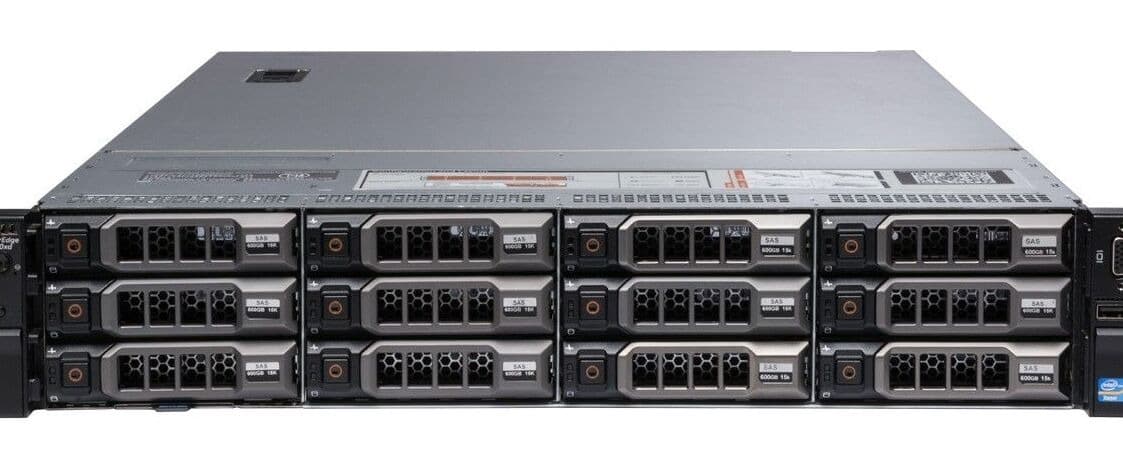
Dell PowerEdge R730XD Server (12bay*3.5inch)
EGP 32,400
2U high capacity storage optimized rack server - 2x Intel Xeon E5-2680V4 processors, 64GB RAM
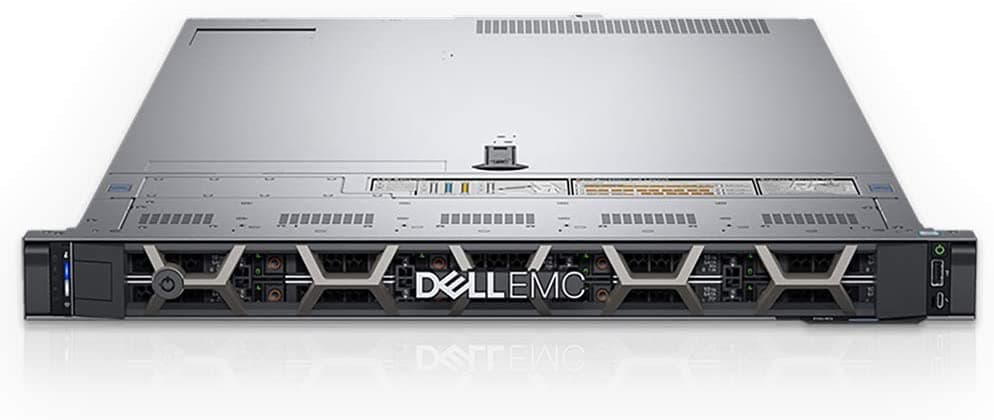
Dell PowerEdge R640 Server (10-bay*2.5-inch)
EGP 51,600
High density 1U enterprise rack server - 2x Intel Xeon Gold6138 processors, 64GB RAM
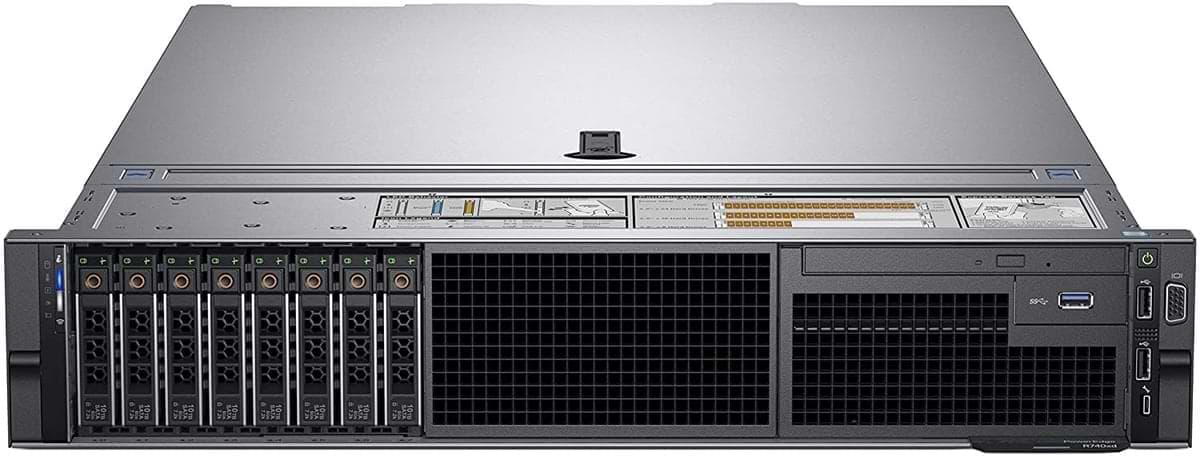
Dell PowerEdge R740 Server (8-bay SFF)
EGP 65,800
Enterprise grade high performance 2U rack server - 2x Intel Xeon Gold6138 processors, 32GB RAM
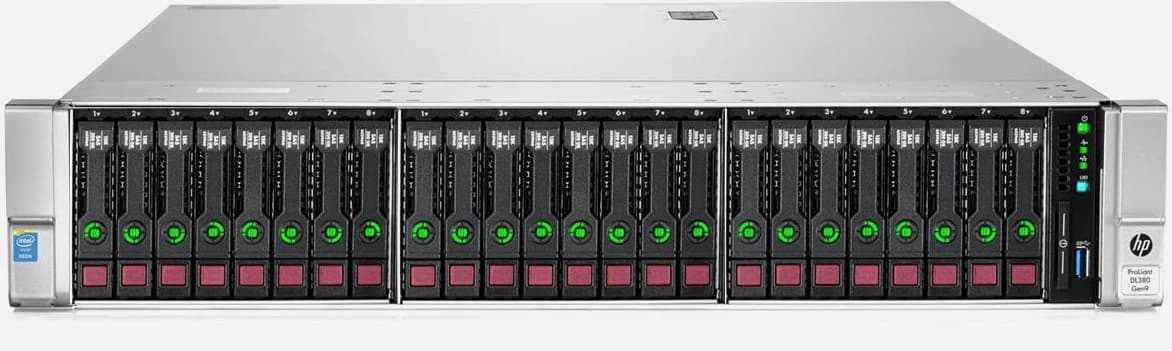
HPE Proliant DL380 Gen9 Server (24-bay sff)
EGP 49,400
HPE Proliant DL380 Gen9 enterprise server, 2x Intel Xeon E5-2680V4 processors, 64GB RAM
Dell PowerEdge R730XD Server (12bay*3.5inch)
EGP 32,400
2U high capacity storage optimized rack server - 2x Intel Xeon E5-2680V4 processors, 64GB RAM
Dell PowerEdge R640 Server (10-bay*2.5-inch)
EGP 51,600
High density 1U enterprise rack server - 2x Intel Xeon Gold6138 processors, 64GB RAM
Dell PowerEdge R740 Server (8-bay SFF)
EGP 65,800
Enterprise grade high performance 2U rack server - 2x Intel Xeon Gold6138 processors, 32GB RAM
HPE Proliant DL380 Gen9 Server (24-bay sff)
EGP 49,400
HPE Proliant DL380 Gen9 enterprise server, 2x Intel Xeon E5-2680V4 processors, 64GB RAM